a pdfresh original / timing
Stop the Bar.
One button. Five rounds.
How close can you get?
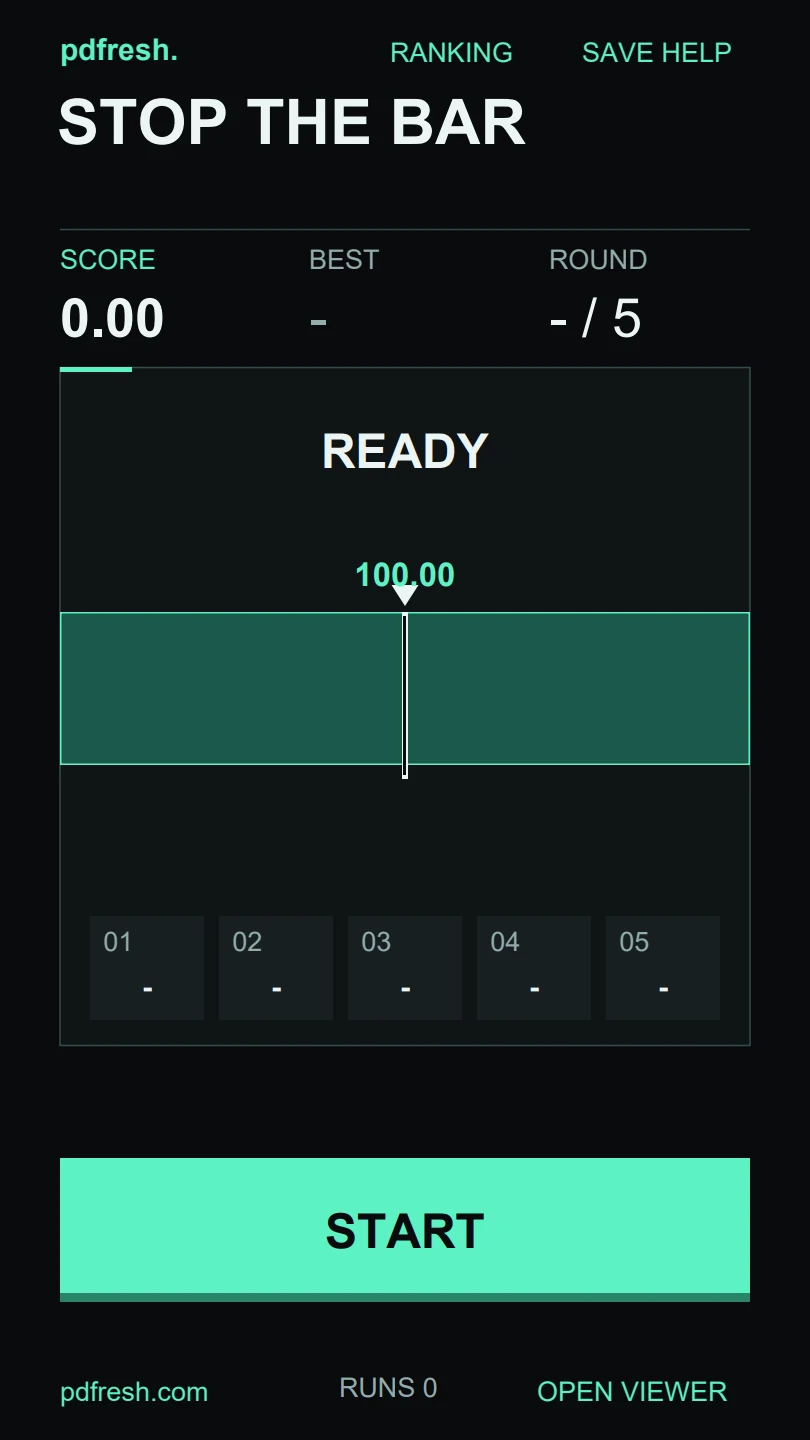
A bar sweeps across the lane. Stop it as close to the center as you can, then try again as the pace increases. Each round is worth up to 100.00 points. Five perfect stops make 500.00.
- format
- 3-page interactive PDF
- reader
- pdfresh viewer / desktop Chrome
- version
- 1.2.4 · September 17, 2026
- made by
- PDFresh
Play directly in pdfresh viewer, or keep the original PDF to play in a compatible reader. Bright effects appear when you stop the bar.
a small test of timing
Watch the center. Make your stop.
- 01
Start the run.
Select START on page 1. The bar begins moving across the lane. You only need the large button below the playfield.
- 02
Stop near the middle.
Select STOP when the bar reaches the center marker. An exact center earns 100.00 and a PERFECT. Farther away earns fewer points; outside the scoring zone earns zero.
- 03
Finish all five rounds.
The next round starts automatically after brief feedback, with a faster-moving bar. Each round allows 4.5 seconds to make a stop; letting the time run out scores zero.
Scores are shown to two decimal places and added across all five rounds. A near miss stays below 100.00. At the end, the result shows your total and how many perfect stops you made.
a ranking inside your file
Give the run a name.
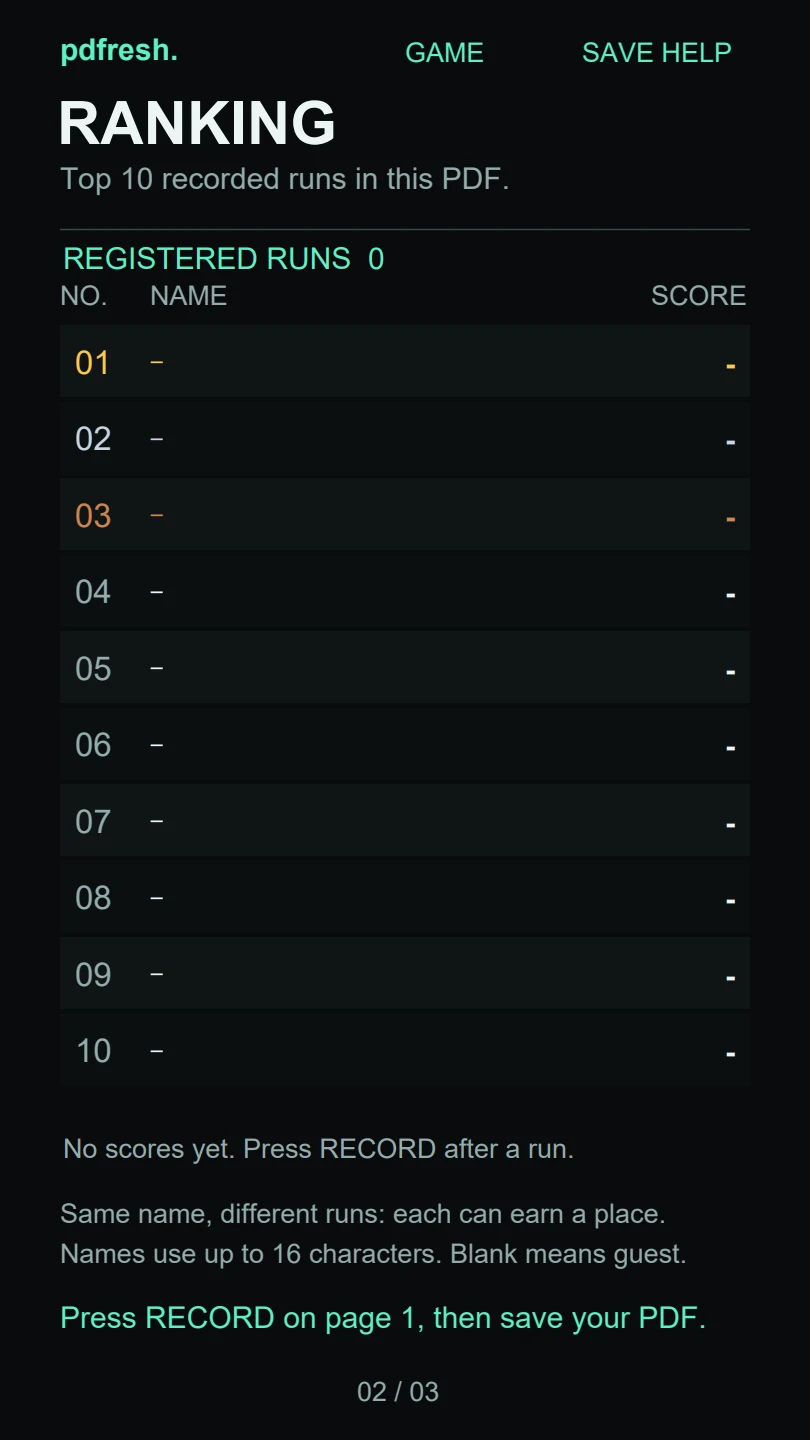
After a run, enter a name of up to 16 characters and select RECORD. A blank name becomes guest. Page 2 keeps the ten highest registered runs, so the same name can appear more than once. Tied scores keep their registration order.
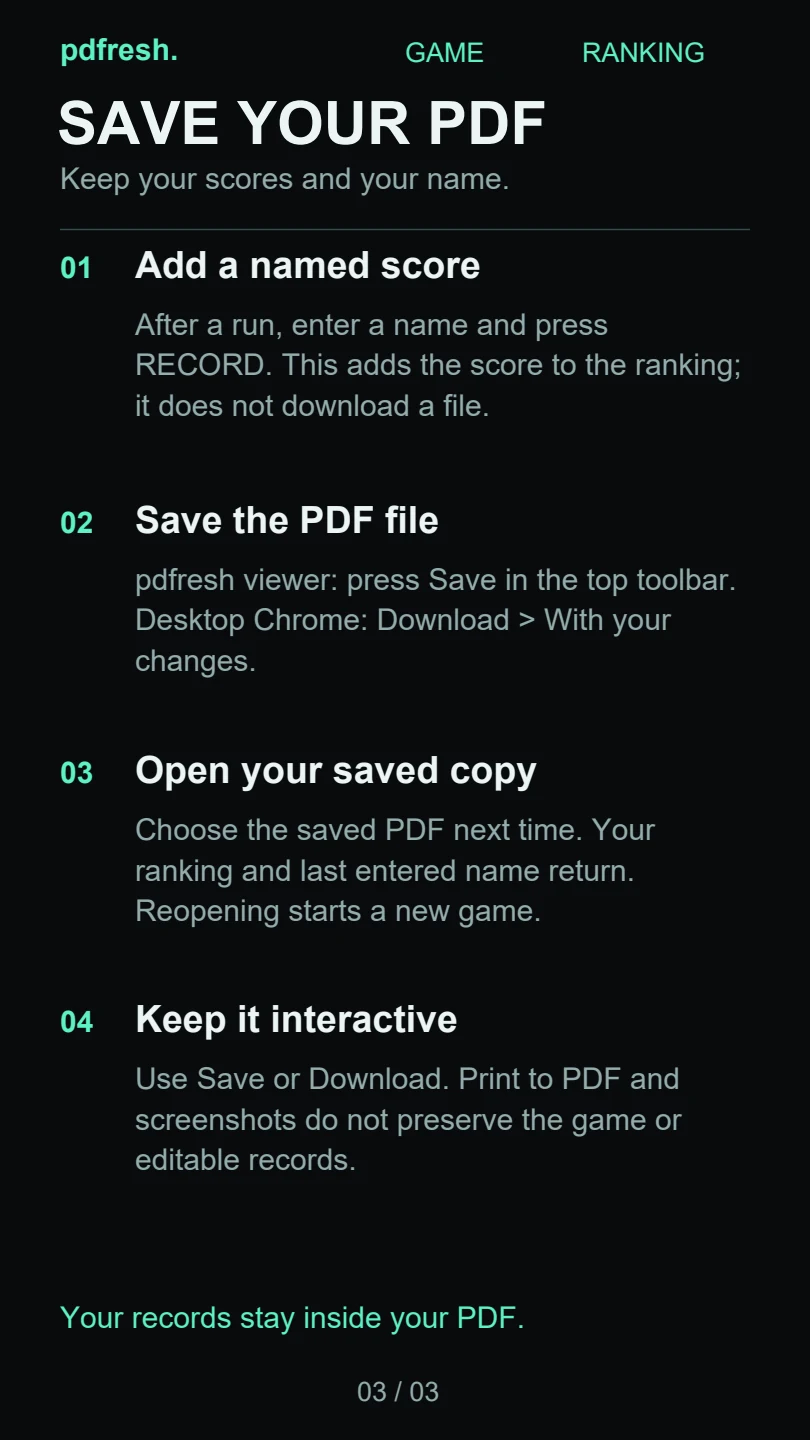
RECORD adds a score to the ranking. It does not save a file. To keep the ranking and your last entered name, select save in the viewer toolbar. In desktop Chrome’s PDF reader, choose Download → With your changes.
Next time, open that saved copy in pdfresh viewer. Your ranking returns and a fresh game begins. The website’s play and download buttons always start with a clean copy.
three pages, one game
The help travels with it.
Page 1 holds the game and the controls for recording a result. Page 2 shows the ranking. Page 3 explains how to register a score, save the PDF and open it again.
Use the viewer’s page arrows or scroll to move between pages. Save or download the interactive file to preserve it; printing to PDF and taking screenshots remove the game’s editable behavior.
Before you play.
Do I have to download it first?
No. Choose play without downloading to open a fresh game in pdfresh viewer. Your browser loads the PDF automatically; you do not need to save or choose a local file first. Save afterward if you want to keep your records.
Which PDF readers can run the game?
Use pdfresh viewer with a mouse or touch, or open the original download in desktop Google Chrome’s PDF reader. Other PDF readers may show the pages without running their scripts. Support varies by browser and device.
Is the ranking online?
No. Scores and names stay in your saved PDF. Sharing that saved file also shares its records. Share the game page or a fresh download if you want someone to start with an empty ranking.
Why is my result missing from the ranking?
Finish the run and select RECORD before starting another one. Only the ten highest registered runs appear on page 2. Then save the file and reopen that exact copy. Reopening the website starts with empty records.
release notes
1.2.4 September 17, 2026
This release contains five rounds of precision scoring, named top-ten rankings and an included saving guide. The 4.68 MB source PDF is distributed unchanged and runs through the shared pdfresh viewer.
report a problem