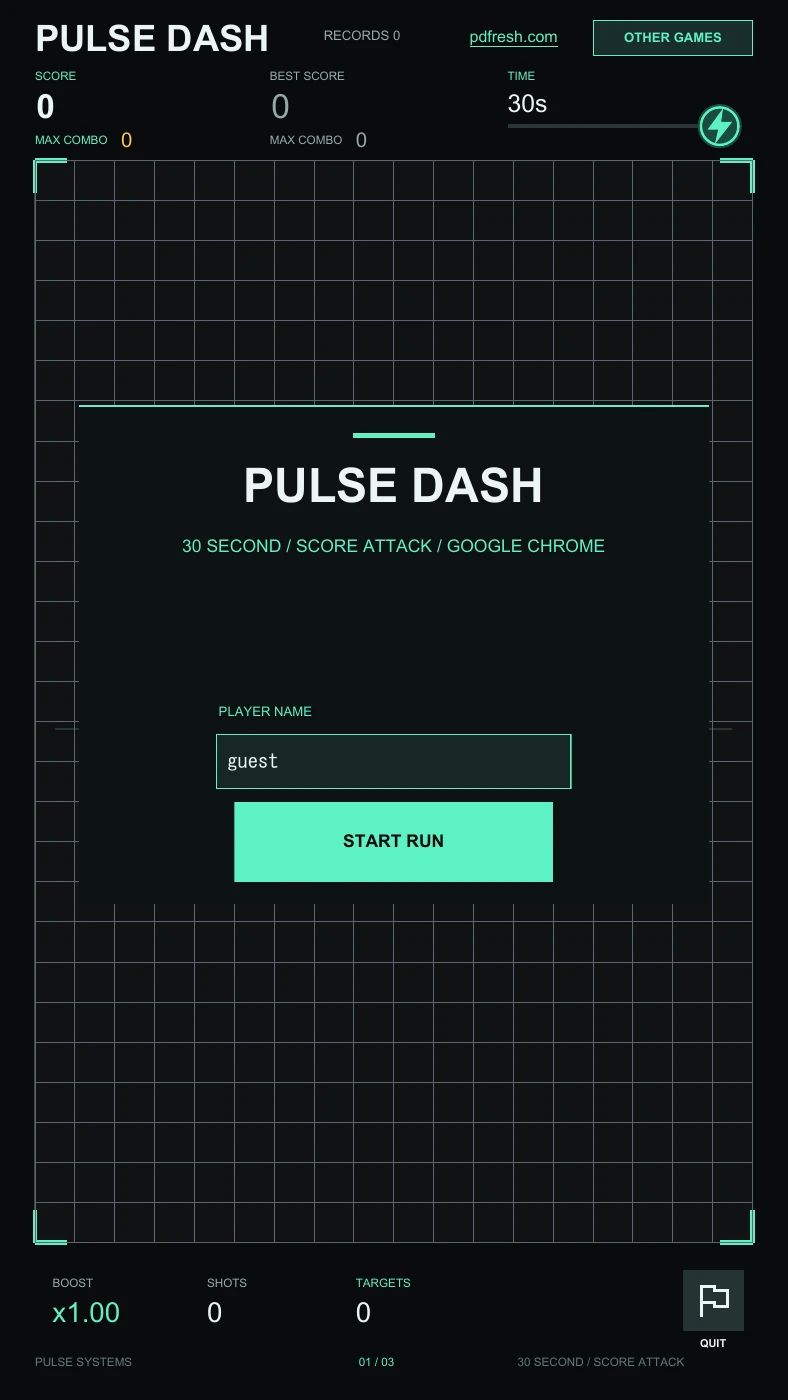
a pdfresh original / arcade
Pulse Dash.
One pull. A chain of hits.
Thirty seconds to beat your best.
Launch across the arena, bounce off walls, and defeat enemies in a single shot. Collect boosts to push a run further. Your score and combo records stay with your saved PDF.
- format
- 4-page interactive PDF
- reader
- pdfresh viewer / desktop Chrome
- version
- 1.0.0 · updated September 11, 2026
- made by
- PDFresh
Use the original PDF to play. Printing it creates a document that cannot preserve the game. Flashing effects appear during play and in the final countdown.
the basics
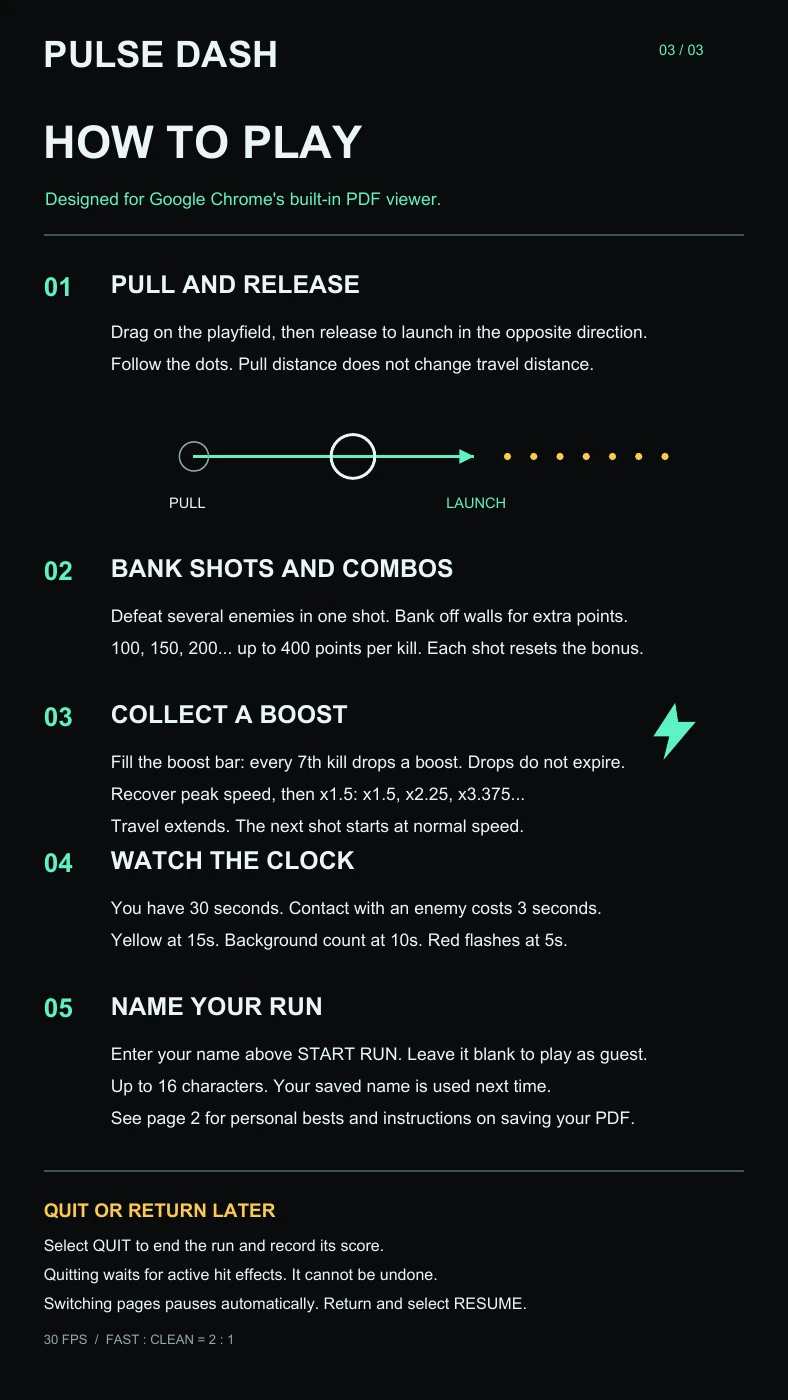
Find the angle. Follow the dots.
Pull and release.
Drag on the playfield and release to launch in the opposite direction. The preview dots show the path. Pulling farther does not increase the initial travel distance.
Bank a better shot.
Defeat several enemies with one shot and bounce off walls for extra points. The per-kill bonus starts at 100, rises by 50, and reaches 400. Each shot starts the bonus again.
Catch a boost.
Every seventh kill drops a boost. Pickups do not expire. A boost restores peak speed and multiplies it by 1.5, extending the current shot. The next shot starts at normal speed.
Watch your time.
A run starts at 30 seconds. Enemy contact costs 3 seconds. The timer turns yellow at 15 seconds, a background count starts at 10, and the last 5 seconds flash red.
your file. your records.
Keep the good runs.
Enter a name of up to 16 characters before starting, or play as guest. Page 2 shows personal bests and a top-ten display for the players stored in that PDF. These are local records, not an online leaderboard.
In pdfresh viewer, choose save. In Chrome’s PDF toolbar, choose Download → With your changes. Reopen that saved file to restore your name and records. The download button on this website always provides a fresh copy.
the record-saving guide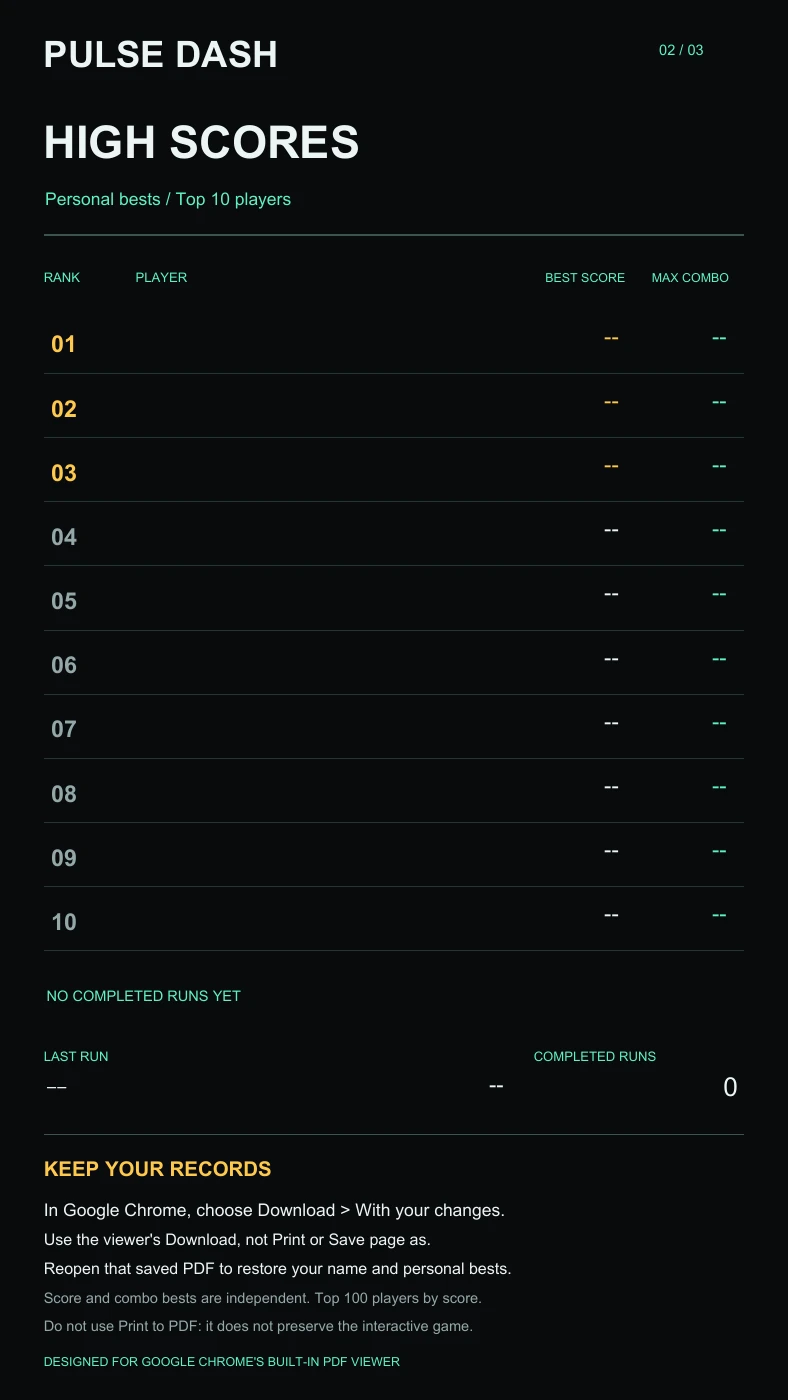
Before your first run.
Does it work in every PDF reader?
PDF readers differ. In pdfresh viewer, Pulse Dash uses a web game player designed for current Chrome, Edge, Firefox, and Safari. The standalone PDF targets desktop Google Chrome’s built-in PDF viewer. Browser and device support vary; opening the pages successfully does not prove that gameplay or saving will work. The game has automated PDFium checks, but this is not a claim of compatibility with every Chrome version or device.
Can I play without a connection?
After downloading, the game runs in the PDF without an account or automatic network requests. The pdfresh.com and other games links open the website when selected and need an internet connection.
How do I pause or end a run?
Switching to another page pauses play. Return to the game and select RESUME. QUIT ends the run and records its score after active hit effects finish; it cannot undo the run.
What does RECORDS count?
It counts completed runs, including QUIT, across the players in that PDF. It is not the number of downloads or file saves. The value also appears as completed runs on page 2.
What is included in the download?
The 5.38 MB PDF includes the game on page 1, personal records on page 2, and English instructions on pages 3 and 4. It begins with guest and an empty ranking. Free to download and play; contact PDFresh before republishing the file or reusing its assets.
release notes
1.0.0 Updated September 11, 2026
This four-page update enlarges the controls, name field and records for smaller screens, and adds instructions for pdfresh viewer. The supplied PDF is distributed unchanged. Previously saved three-page games still open in the viewer.
report a problem